# Appointment Confirmation Texts: What to Send at Booking and Before the Visit

> Canonical source: [https://citaflow.com/en/blog/appointment-confirmation-text/](https://citaflow.com/en/blog/appointment-confirmation-text/)

Appointment confirmation texts to copy for SMS, WhatsApp or email: at booking, before the visit and when a client doesn't reply, with examples by trade.

![Illustration of a phone with an appointment confirmation text next to a calendar where the appointment is marked confirmed](/images/blog/mensaje-de-confirmacion-de-cita.webp)

An **appointment confirmation text** says who you are, what the client booked, the date, the time, where it is and how to change it. If you also need to know they are coming, you ask that in a second message, closer to the day.

This is the shortest one that works:

> [Business name]: your [service] appointment is booked for [date] at [time], at [address]. Need to change it? Reply to this message.

Below you will find a text for every stage, examples for eleven kinds of business and the version for SMS, WhatsApp and email. Swap what is in brackets and send it.

## The two confirmations almost everyone mixes up

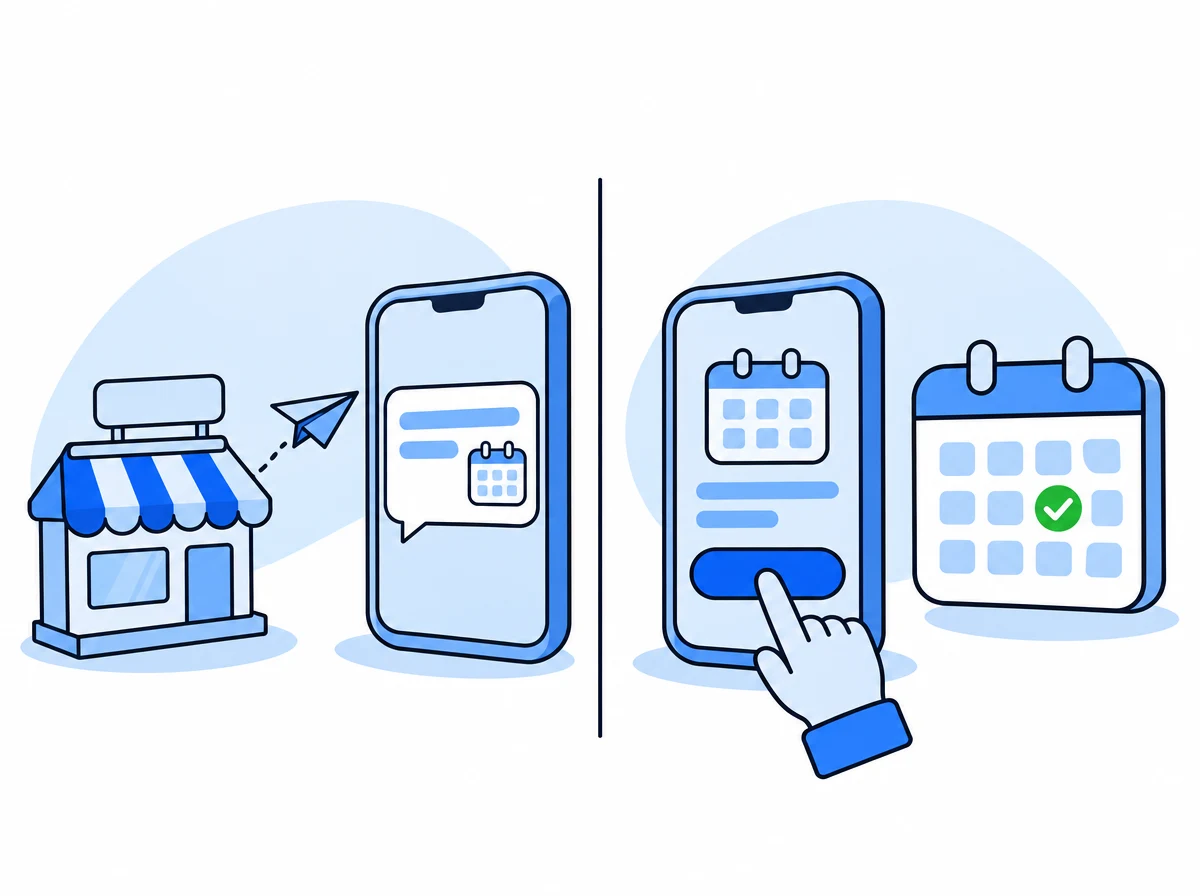
"Confirming an appointment" means two different things, and most templates squeeze both into one message:

<div class="article-table-wrap">

| | Booking confirmation | Attendance confirmation |
|---|---|---|
| Who gives it | You | The client |
| When | As soon as you book them in | Before the appointment, with the reminder |
| What it says | "Your appointment is booked" | "Yes, I'll be there" |
| What it is for | The client has the details in writing | You know who to expect and have time to fill the slot |

</div>

Mix them and this happens: you send "appointment confirmed, please confirm you're coming" and the client cannot tell whether they have an appointment or not. Keep them apart. First tell them the appointment is booked. Later, when the day gets close, ask whether they are coming.
![Two-step illustration: the business sends the booking confirmation and, later, the client confirms attendance with one tap](/images/blog/mensaje-de-confirmacion-de-cita/dos-confirmaciones.webp)

## What to put in an appointment confirmation text

The essentials, in this order:

- **Your business.** The client should know who is writing without opening the message.
- **The date and time.** If "Thursday" could be this week or next, add the date.
- **The service**, and who with if they picked someone on your team.
- **Where it is:** address, branch or video call link.
- **How to change or cancel.** A link or "reply to this message".

Add more only when it changes what the client has to do:

- **How long it takes**, if it is long and they need to plan around it.
- **What to bring or how to prepare.**
- **How to get in**, if the entrance is hard to spot from the street.
- **The deposit**, if you take one. Always say where it stands: "We've received your [amount] deposit" or "To hold your slot, pay the deposit at [link] by [deadline]".

<div class="article-callout article-callout--tip"><p><strong>One thing to do.</strong> Each message ends with one action, not three. Offers, surveys and "follow us" belong in a different message.</p></div>

## What to text at each stage of the booking

### When they book

Send it as soon as the appointment is in your calendar. If what you have is a request and you still need to check availability, say so: "We've got your request and will confirm the time shortly."

> Hi [name]. We'll see you at [Business name] on [date] at [time] for [service]. It takes about [duration]. We're at [address]. To change it, go to [appointment link].

With CitaFlow® you do not write this one yourself: the moment the appointment is booked, the client gets the notice with their details and a link to change or cancel it.

### When you need to know they are coming

Ask with enough notice: the client needs time to read it and answer, and you need time to offer the slot to someone else if they say no. No single lead time fits every business: it depends on how long you need to fill a slot. If an afternoon is enough to offer it to someone else, ask the day before. If the appointment is long or needs preparation, ask earlier.

> Hi [name]. You have [service] at [Business name] tomorrow, [date], at [time]. Can you make it? Reply YES, or tell us here if you need another time.

In CitaFlow the reminder carries a "Confirm attendance" button. The client taps it and the appointment switches to confirmed in your calendar on its own. You choose how far ahead it goes out. If you only need the reminder wording, the free [appointment reminder generator](/en/tools/reminder-generator/) writes it for you.

### When they say yes

You do not always need to answer. If you do, repeat the time: it is the last thing they will read before coming.

> Thanks, [name]. All set: see you on [date] at [time] at [Business name].

### When they do not reply

Silence is not a "no". Send one short follow-up while they can still act on it:

> Hi [name]. Is your appointment tomorrow at [time] at [Business name] still on? Reply YES if you're coming, or tell us and we'll find you another time.

If there is still no answer, you have two ways out, and the one you choose must have been announced on the day they booked:

- **Keep the appointment.** No need to write again. This is the normal case if confirming is not mandatory.
- **Release the slot.** Only if you said at booking that the appointment depended on confirming by a certain time. Then tell them, without blame:

> Hi [name]. We couldn't confirm your appointment on [date] at [time], so we've released the slot, as we explained when you booked. You can pick another time at [booking link] or message us here.

Chasing people who do not answer is what eats the most time. In CitaFlow you can set more than one reminder per appointment, each with its own lead time, and the calendar shows which appointments are confirmed and which are still pending. To put in writing what happens when someone does not confirm or does not show up, the [cancellation policy generator](/en/tools/cancellation-policy-generator/) gives you the wording.

### When they ask to change it

Only offer times that are really free. Once it is done, repeat the new time and say the old one no longer stands.

> Done, [name]. Your [service] moves from [old date] to [new date] at [new time], at [Business name]. The earlier time is cancelled.

With CitaFlow the client changes it on their own from the link in their notice. Or they ask the [AI assistant](/en/chat-ai/) on WhatsApp, Instagram, Messenger, Telegram or your website chat, and it checks your open slots and moves the appointment in your calendar while you work.

## Confirmation examples by business type

The skeleton is the same for everyone. What changes is the one detail that saves the client a bad moment, or saves you an empty slot:

<div class="article-table-wrap">

| Business | What to add to the confirmation |
|---|---|
| Hair salon | How long it takes, above all for color |
| Barbershop | Which barber, if they chose one |
| Beauty salon | How to prepare and how long it takes |
| Nail salon | Whether earlier work needs removing |
| Tattoo studio | Length of the session and where the deposit stands |
| Massage studio | When to arrive on a first visit |
| Spa | Access time for the circuit and what to bring |
| Gym | Room and equipment for the class |
| Auto repair shop | Drop-off time and what to leave with the vehicle |
| Law firm | In person or video call, and which documents |
| Restaurant | Party size and how long the table is held |

</div>

**Hair salon**

> [Business name]: your color appointment is booked for [date] at [time]. Allow about [duration]. Need to change it? Reply to this message.

**Barbershop**

> [Business name]: cut and beard trim with [barber] on [date] at [time]. We're at [address]. To change the time: [appointment link].

**Beauty salon**

> [Business name]: your [service] is on [date] at [time] and takes about [duration]. Before you come: [preparation]. If anything comes up, message us here.

**Nail salon**

> [Business name]: your [service] is on [date] at [time]. If you have earlier work that needs removing, tell us and we'll book extra time.

**Tattoo studio**

> [Business name]: your session is booked for [date] at [time] and will take about [duration]. We've received your [amount] deposit. To move the date, message us at least [notice] ahead.

**Massage studio**

> [Business name]: your [type] massage is on [date] at [time]. If it's your first visit, please arrive [minutes] minutes early. We're at [address].

**Spa**

> [Business name]: your circuit starts on [date] at [time] and your treatment at [treatment time]. Bring [what to bring]. Need to change it? Reply to this message.

**Gym**

> [Business name]: you have a spot in [class] on [date] at [time], in [room]. Bring [equipment]. Can't make it? Free your spot at [appointment link].

**Auto repair shop**

> [Business name]: we'll take your vehicle in on [date] at [time]. Bring [keys and documents]. We'll tell you there when it will be ready.

**Law firm**

> [Business name]: your meeting is on [date] at [time], at [address or video call link]. Please have [documents] to hand. If you'd prefer another time, reply to this message.

**Restaurant**

> [Business name]: table for [party size] on [date] at [time]. We'll hold it until [hold time]. If the number of guests changes, let us know here.

<div class="article-inline-cta"><p><strong>Your calendar can send these, so you don't have to.</strong> With CitaFlow the notice goes out on its own when someone books, the client confirms with one tap and an assistant answers your messages while you work.</p><p><a class="article-inline-cta-btn" href="/en/#signup" data-open-signup-modal>Try it free for 7 days</a></p><p>No card needed. Want to see it first? <a href="/en/ai-chatbot-demo/">Message the demo</a>.</p></div>

## SMS, WhatsApp or email?

The details are the same. What changes is how much fits and how the client answers.

### SMS

Start with your business name, because the client may not have your number saved. And keep it short: one SMS holds 160 characters, but that drops to 70 as soon as it includes a character outside the basic SMS alphabet, such as an emoji, according to [Twilio's documentation on SMS length](https://www.twilio.com/docs/glossary/what-sms-character-limit) (checked on November 23, 2026). Go over and it is split into several, so count the characters with the text already filled in. Do not ask for a reply if that number cannot receive one.

> [Business name]: [service] on [date] at [time], [address]. Changes: [appointment link]

### WhatsApp

Short lines, one detail per line and the action at the end. Here the client can answer, so ask for one word: "Reply YES".

> Hi [name] 👋
> [service] at [Business name]
> [date], at [time]
> Can you confirm you're coming?

If you write from the app on your phone, you send it by hand with whatever wording you like. If you use a tool connected to WhatsApp, the rule changes: the [WhatsApp Business messaging policy](https://whatsappbusiness.com/policy/) requires an approved template to start a conversation and to write more than 24 hours after the client's last message (checked on November 23, 2026). That is why automatic notices use fixed wording.

To set up your greeting, away message and quick replies, see the [guide to WhatsApp Business automated messages](/en/blog/whatsapp-business-automated-messages/).

### Email

The subject line is what the client will search for on the day. Put the business, the date and the time there. In the body, the details first and what to bring after.

> **Subject:** Your appointment at [Business name]: [date] at [time]
>
> Hi [name]. Your [service] is booked for [date] at [time], at [address]. Please bring [what to bring]. You can change or cancel it at [appointment link].

## Common mistakes in confirmation texts

- **Saying "confirmed" and asking them to confirm in the same message.** The client cannot tell whether they have an appointment. Write "booked" when you take it and ask about attendance later.
- **Leaving the day vague.** "Thursday at 5" fails when there are two possible Thursdays or two branches.
- **Asking for a reply where nobody reads it.** Before you send it, check that the number or inbox receives messages.
- **Releasing a slot without warning.** If the appointment depends on confirming, say so at booking and repeat it in the reminder.
- **Sending the old details after a change.** Repeat the new time and say the earlier one is cancelled.
- **Asking too late.** If you ask an hour before, there is no time left to fill the slot.

## How to stop sending confirmation texts yourself

Copying and pasting works with five appointments a day. With twenty, one of them goes without a message.

![Illustration of a calendar that sends the confirmation and the reminder by itself and marks the appointment as confirmed](/images/blog/mensaje-de-confirmacion-de-cita/agenda-que-avisa-sola.webp)

CitaFlow covers the whole sequence for you:

- **At booking**, the client gets the notice with their appointment details.
- **Before the appointment**, they get the reminder with the button to confirm. You decide how far ahead and how many reminders.
- **When they confirm**, the appointment switches to confirmed in your calendar. You write nothing down.
- **If they need to change it**, they do it from the link in their notice or ask the assistant.
- **If a slot opens up**, CitaFlow can alert the people who asked for a time that day and did not find one.

Notices go out by WhatsApp, SMS and email, and for each service you can write instructions for the client, such as what to bring or how to get there, which are added to their emails. The [AI assistant](/en/chat-ai/) also answers WhatsApp, Instagram, Messenger, Telegram and your website chat at any hour: it handles questions and books, changes and cancels appointments directly in your calendar. You also get an [online booking page](/en/online-booking/) with your own link, where you can take a deposit at booking. No commission per booking.

### How you get started

It is not one more program to learn. Instead of studying screens, you answer a few questions:

1. **Create your trial account.** It is free for 7 days and asks for no card.
2. **Answer a few questions about your business**, or paste your website or your Google listing, and the account is adapted to how you work: your services and your hours.
3. **Turn on the channels your clients write to**, starting with WhatsApp, and the assistant starts answering and booking. During the trial, appointment notices go out by email; WhatsApp and SMS notices start when you subscribe to a plan.

<div class="article-inline-cta"><p><strong>Try it with your own appointments.</strong> Create the account, answer a few questions and watch the notice go out and an appointment confirm itself.</p><p><a class="article-inline-cta-btn" href="/en/#signup" data-open-signup-modal>Create my trial account</a></p><p>Free for 7 days, no card needed. Want to see it first? <a href="/en/ai-chatbot-demo/">Message the assistant demo</a>.</p></div>

## Frequently asked questions

### How do I confirm an appointment by text?

If you are the business: "[Business name]: your [service] is booked for [date] at [time], at [address]." If you are the client and you are asked to confirm: "Yes, I confirm my appointment on [date] at [time]. Thank you."

### What is a good reminder text?

One that names the business, the service, the date and the time, and ends with a single action: "Reply YES to confirm, or tell us if you need another time." Send it with enough notice for the client to answer.

### How do I write an appointment confirmation email?

Put the business, the date and the time in the subject line. In the body, confirm the booking first, then add the address and what to bring, and finish with the link to change or cancel.

### How do I send a reminder for an appointment?

Use the channel the client reads, usually SMS or WhatsApp, with enough notice for them to answer. Include the booking details and a way to confirm or change the time.

### What should I do if a client does not reply to a confirmation text?

Send one short follow-up. If there is still no answer, keep the appointment, unless you said at booking that it depended on confirming. In that case, release the slot and tell them, with a link to pick another time.

### Can I use the same confirmation for SMS and WhatsApp?

Keep the same details. Make the SMS shorter and start it with your business name. On WhatsApp, put each detail on its own line and ask for a one-word reply.

### Can I try CitaFlow's automatic confirmations before paying?

Yes. The trial lasts 7 days and asks for no card. During the trial, appointment notices go out by email and the assistant can answer your WhatsApp; WhatsApp and SMS notices start when you subscribe to a plan.
