
Multi-Location Appointment Management: Grow Without Losing Control
Learn how multi-location appointment management helps you coordinate several locations without mixing calendars or losing control as you grow.
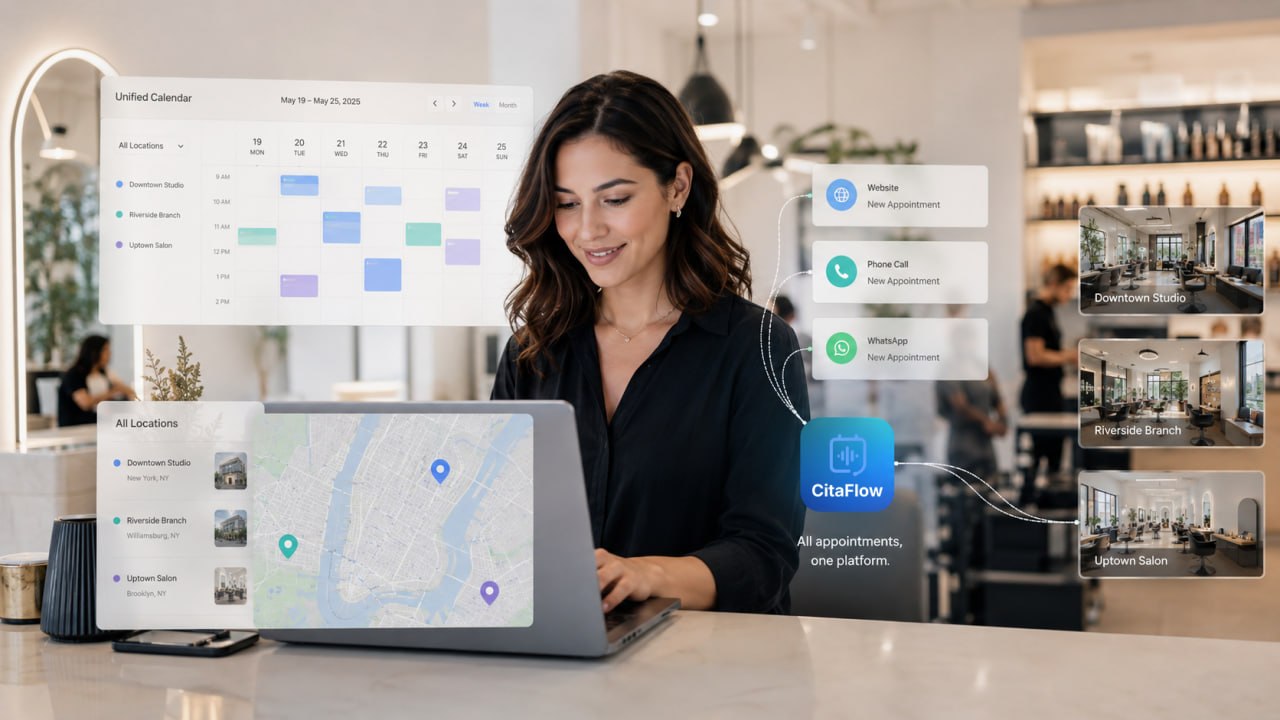
Opening a second location is often celebrated with a new storefront, more employees, and the feeling that the business is moving forward. What appears soon after is less photogenic: another calendar, new hours, different services, more WhatsApp conversations, and clients who do not always remember which location they booked.
With a third location, the situation becomes even more complex. It is no longer enough to remember who works each day or quickly check the calendar. The owner needs to understand what is happening at every location without spending the day jumping between apps, calls, and spreadsheets.
That is the real challenge of a multi-location business. Growth is not only about repeating what already worked. It is about creating a structure that coordinates several locations without turning the owner into the connection point for every task.
Opening another location multiplies coordination
When a company has one location, many decisions are resolved informally. If an employee changes their schedule, someone mentions it. If a service is unavailable that afternoon, the team knows. If a regular client calls, the person who answers may know their preferences.
This system can work because everyone shares the same space. The problem appears when a second location opens. Employees no longer see the same calendar, services can vary between locations, and the owner is no longer part of every conversation.
A hair salon may offer color services at one location but not another. A clinic may have certain specialists available only on specific days. A beauty studio may use different prices, durations, or treatments depending on the location. Even when locations look the same from the outside, their daily operations are rarely identical.
That is why copying the first location's calendar and changing its name is rarely enough. Managing several locations requires two things at once: a centralized view of the business and respect for the specific operations of every location.
What is a multi-location appointment management system?
A multi-location appointment management system lets a business manage several locations from one structure. The owner can see the business as a whole from one access point, while every location keeps its own employees, hours, services, and availability.
In CitaFlow, an administrator can switch between locations without signing out or repeatedly entering different accounts. Clients can choose the location where they want to book.
The difference becomes clearer when compared with the alternative. Without a multi-location setup, every center can end up operating as an isolated business: a separate account, another calendar, different passwords, and another inbox. To see how the business is doing, the owner has to rebuild the picture by checking every system separately.
Multi-location management is not meant to make every location operate exactly the same way. Its purpose is to provide a shared structure for controlling the business without erasing what makes each location different.
Centralizing does not mean mixing every calendar
One of the most common mistakes when looking for booking software for several locations is to assume centralization means putting every appointment into one calendar. In practice, that could create more confusion than it solves.
Imagine a client wants to book a haircut on Tuesday at five. An open time at the Chamberí location does not mean it is also available at the Las Rozas location. It also does not mean the selected professional works at both locations.
In a multi-location setup, services, prices, durations, hours, employees, and available slots can be managed independently at each location. One site may open on Saturdays, another may close earlier, and a third may offer an exclusive treatment.
Centralization happens at the management level. The owner gets a combined view and can move between locations in the same environment, while each calendar reflects what is really happening there.
This creates something important: shared administration without forcing every location to operate in the same way.
Clients should choose the location first
For a client, booking with a multi-location business should remain simple. Still, one question needs to appear at the beginning of the process: which location do they want to book?
Many misunderstandings begin when that decision is left until the end. A client selects a service, finds a time, and continues with the booking. Only afterward do they discover that the appointment is at a location on the other side of the city.
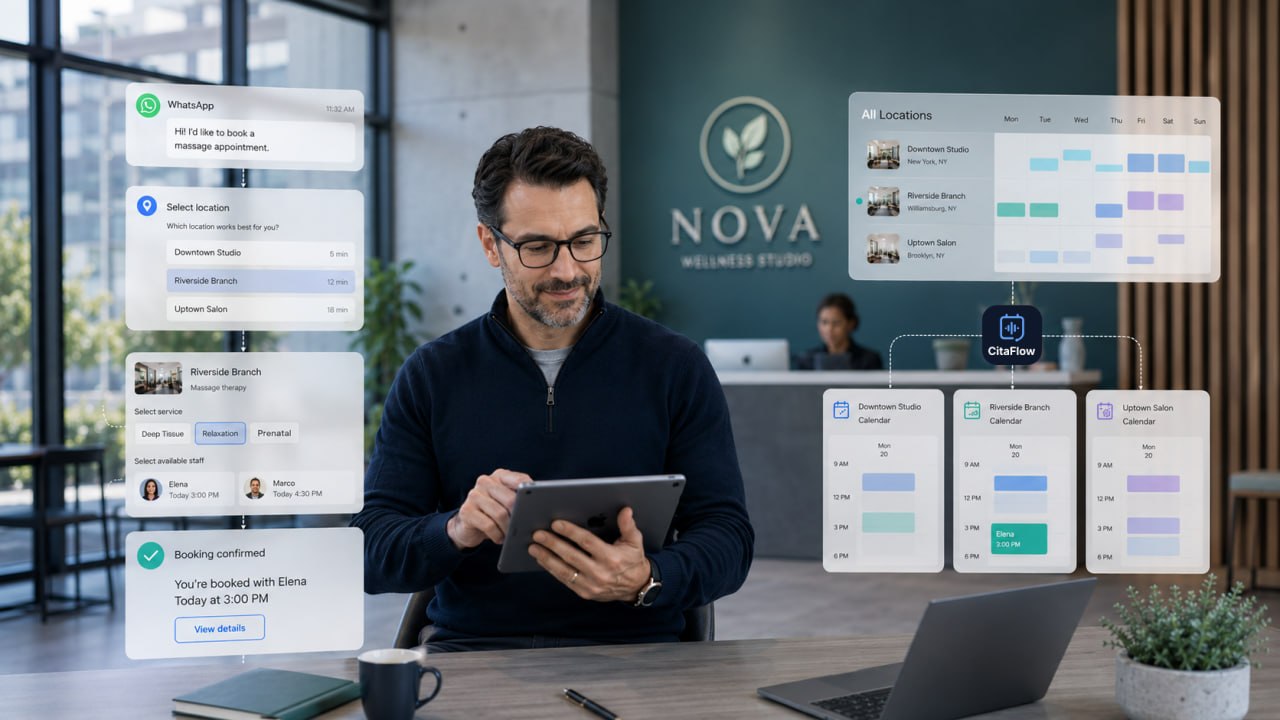
When several locations share a phone number, WhatsApp, or an online booking system, it is clearer to ask for the location first. From that choice, the system can show only the relevant services, professionals, and hours.
This small change keeps clients from having to repeat the process and reduces later clarification. It also makes the team's work easier because each request arrives with the information needed to assign it correctly.
A good multi-location online calendar should not transfer the business's internal complexity to the client. Its job is to hide that complexity and present only the choices the person needs to make.
One WhatsApp account or phone number for several locations
Each new location does not necessarily require a separate phone number or WhatsApp account. Depending on how the business wants to organize itself, locations can share certain customer-service channels.
CitaFlow can configure shared elements such as the phone number, WhatsApp, and AI agent while keeping information and availability specific to each location.
This way, a client can write to the business's usual contact without searching for a different number for every location. The system asks for the location, identifies the requested service, and checks the appropriate calendar.
The advantage is not simply using one number. What matters is that the shared channel can distinguish between locations. Otherwise, centralization would only mean gathering more messages into the same inbox.
A shared WhatsApp account is useful when there is a structure behind it that can route every conversation. The same applies to calls and website bookings: sharing the entry point only works when every request ends up at the right location.
Stay in control without managing every appointment personally
As a company grows, the owner can face a paradox. They open new locations to expand the business but end up spending more time checking schedules, finding bookings, confirming where each professional works, or discovering where an appointment was recorded.
Multi-location management separates control from constant intervention. The owner can check how locations are operating without personally taking part in every booking.
This does not mean losing visibility. It means gaining it in a more organized way. Instead of receiving calendar screenshots, asking on WhatsApp, or signing into several accounts, an administrator can access each location from the same environment.
At the same time, every team works with the information that applies to them. Employees at one location do not need to navigate through every center's calendars to understand their day.
This combination of global visibility and local autonomy helps systematize the business. Growth stops depending on one person remembering how every piece fits together.
Automation and multi-location management solve different problems
Automation and multi-location management often appear together, but they do not mean the same thing.
Automation reduces manual tasks. For example, a system can answer a question, show available times, register an appointment, or send a confirmation without a person stepping in at every step.
A multi-location setup determines where every action should happen. It identifies the location chosen by the client, the services offered there, the available professionals, and the calendar that needs to be checked.
Automation without a solid structure can speed up disorder. An assistant may reply quickly, but if it checks the wrong calendar or cannot distinguish between locations, the experience will still be confusing.
The multi-location structure provides the context. Automation uses that context to complete tasks consistently. Together, they let a booking made through WhatsApp, phone, or the website reach the right location without depending on manual checks.
How to know whether your business needs a multi-location solution
You do not need ten locations to need this kind of system. In many cases, the first signs appear when you open the second one.
One common sign is that the owner has to constantly switch between accounts, calendars, or phone numbers. Another appears when clients often ask which location they booked or when the team has to manually confirm whether a professional works at a specific location.
It is also worth reviewing the system when locations share a brand but use different hours, prices, employees, or services. A generic calendar can stop representing the real business.
The problem becomes especially visible when every decision ends up going through the owner. If the team needs to ask where to register a booking, which location offers a service, or how to respond to a request, the company still depends too much on that person's involvement.
Multi-location appointment management software starts delivering value when coordinating locations takes more time than it should or when growth increases the risk of errors.
A good setup prevents future problems
Technology does not remove the need to make decisions. Before setting up several locations, it helps to define which elements will be shared and which will be managed independently.
If locations work in similar ways, the first location can be set up as a reference and used as a starting point for the others. Then the services, prices, hours, and professionals that differ at each location need to be adapted.
It is also important to confirm that every employee is assigned to the right location, that their availability is accurate, and that the website and customer-service channels clearly show the different locations. When a single channel is shared, the assistant needs to know the location before offering times.
This early work prevents recurring mistakes. A service with the wrong duration, a professional assigned to the wrong location, or an outdated schedule can affect many bookings before anyone notices.
A multi-location configuration works best when it faithfully represents the business. The goal is not to force the company into a rigid template. It is to build a digital structure that reflects how every location operates.
Grow without multiplying administrative work
Opening a new location always means more activity. There will be more employees, clients, services, and decisions. What should not happen is for every location to multiply the owner's administrative work in the same proportion.
A multi-location system makes it possible to add locations without starting from scratch and to keep an overall view without removing each team's independence. Its value is not limited to seeing several calendars from the same access point. It also establishes clear rules: every booking belongs to a location, every professional has specific availability, and every channel knows what information it needs to request.
When that structure exists, the company relies less on informal conversations and people's memory. Processes become easier to repeat, explain, and delegate.
The second location is usually good news. It means something worked well enough to want to take it further. But it also requires leaving behind habits that were only sustainable when everyone shared the same location.
A multi-location setup centralizes management without artificially standardizing the business. The owner gains visibility, every location keeps its own operations, and clients can book at the right place through the channel that is most convenient for them.
This is not about adding technology just because the company has more locations. It is about preventing coordination from becoming the owner's main job.
When opening a new location no longer also means opening another account, another calendar, and another separate problem, the business is ready to grow for real.