
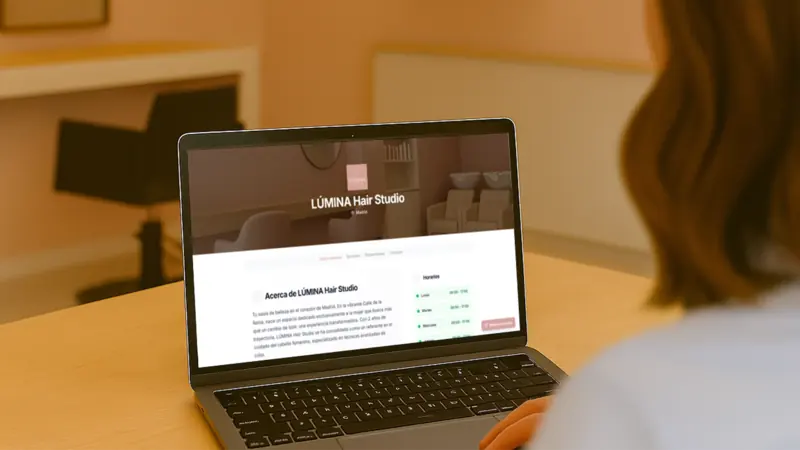
Booking page with your branding
We create a professional page with your logo, colours, photos and services. Clients pick a service, a time and book. You can also connect your Shopify store and your own domain.
A booking page with your branding, ready in minutes, or a widget on the website you already have. Every appointment lands in your calendar and the client gets a confirmation.
7 days free · No card · Cancel anytime
Both options are included in every plan and share the same calendar.
We create a professional page with your logo, colours, photos and services. Clients pick a service, a time and book. You can also connect your Shopify store and your own domain.
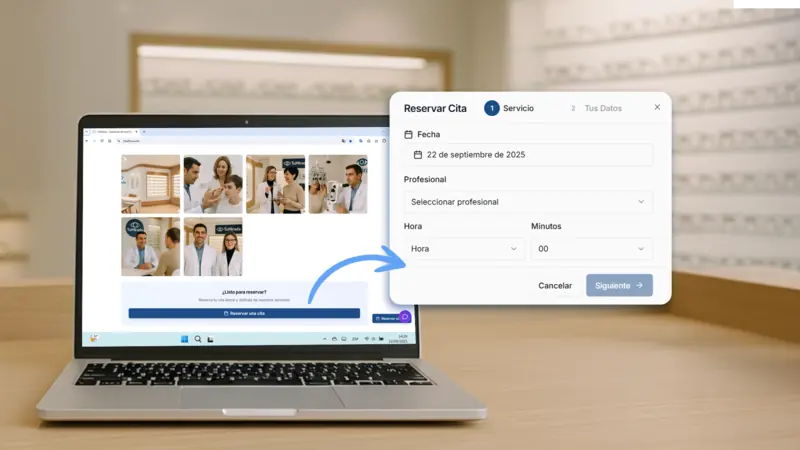
Already have a website? Paste a few lines of code and your calendar appears on it. Nothing else on your site changes.
 1
1 And, if you want, the staff member they prefer.
 2
2 Only times that are really free are shown, across every channel.
 3
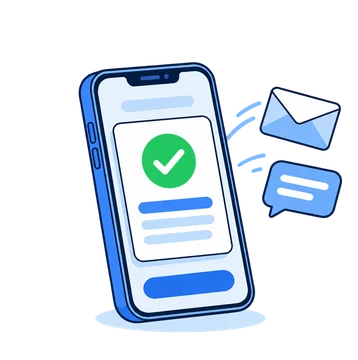
3 With a deposit if you ask for one. The confirmation arrives right away.
Web, chatbot, phone and dashboard use the same availability. No double bookings.
Confirmation and reminder by email, and by WhatsApp or SMS if you switch them on.
The client reschedules or cancels from the link in their confirmation, without calling you.
Charge when they book with Stripe. The money goes straight to you, not through CitaFlow.
Ask for the details you need before the appointment with custom booking fields.
Two-way sync: what you create in CitaFlow shows in your calendar, and the other way round.
No commission per booking and no lock-in. Add AI Chatbot or AI Voice whenever you want.
What people usually ask us before opening online bookings.
No. CitaFlow creates a booking page with your logo, colours and services, ready in minutes. If you already have a website, you can use the widget to show your calendar on it.
Copy a few lines of code from the dashboard and paste them into your site. It works on any website that lets you add HTML, without changing anything else.
Yes. You can ask for a deposit or the full price with Stripe when the client books. The money goes straight to you, not through CitaFlow, and you collect the rest in person.
Their confirmation includes a link to reschedule or cancel from their phone in seconds. You can also do it from the dashboard.
Your booking page, the chatbot, the AI receptionist and the dashboard share the same real-time calendar. Once a slot is booked, it disappears from every channel.
Yes. Confirmation and reminder go out by email at no cost, and by WhatsApp or SMS too if you switch those channels on.
Online booking is included in the Starter plan, with no commission per booking and no lock-in. You can try it free for 7 days, no card required. Full details are in pricing.