
How to Digitize a Small Business: A System, Not More Software
Why small businesses quit new tools before they start working, and a 7-day route to set up only what solves your actual problem.

Not long ago, a customer reached the end of their free trial and told us they weren’t going to continue. It wasn’t working for them. When we sat down to go through what was costing them time every day, something awkward came up: the settings that solved exactly those problems already existed. They had simply never found them.
They didn’t stay because we showed them a new feature. They stayed because we stopped talking about the tool and started talking about their week.
That conversation is the reason for this article. Digitizing a small business isn’t about learning yet another program. It’s about building a system that takes over a specific part of your repetitive work. And every system asks for something up front: a few decisions and a bit of time.
We’re not going to tell you that costs nothing. It does. What we can tell you is where that effort is worth spending, and what you can safely ignore for the first few weeks.
A free trial that almost ended in a cancellation
Signing up for a tool and confirming that the tool actually takes work off your plate are two different things, and the gap between them is bigger than it looks.
Industry research backs this up. ChartMogul analyzed 200 software products in January 2026 and found a median free-to-paid conversion rate of 8%, with huge variation between products. The interesting reading isn’t commercial: plenty of people open an account and never reach the moment where the product shows what it’s for.
Our customer was right there. They had logged in, looked around, set up a couple of things and were still doing by hand exactly what they did before. Their conclusion was reasonable. They were right about the facts and wrong only about the cause.
A free trial shouldn’t be for clicking through menus. It should answer one very specific question: can this system take over part of what I do every day without me standing over it?
Resistance to change in small businesses: when learning feels like one more job
Resistance to change is the natural reluctance to give up a familiar way of working for one you haven’t mastered yet. In a small business, that reluctance is usually perfectly rational.
The tool promises to save you time later. But it asks for time today. And today you have customers.
When the person who decides, the person who sets things up and the person who serves customers are all the same person, change can’t be delegated: it happens after closing time, when you’re already tired. Almost everything written about change management talks about teams, leadership and company culture. That’s of little use when the team is you.
In an OECD survey of more than a thousand small and medium-sized businesses, nearly four in ten named lack of time for training as a barrier to going digital, almost level with maintenance costs. In the same research, only a minority had formal in-house training or programs guided by someone with experience.
That changes the question. It isn’t about more willpower. It’s about shrinking the change until it fits into a normal working week: one concrete problem, short blocks of time, a first visible result, and permission to ignore everything else for now.
The learning curve of management software: what’s normal at the start
A learning curve describes how your performance at a task improves as you gain experience with it. In software, the term is used more loosely: we usually mean how hard it is to get going.
For a small business, it helps to separate things we tend to lump together:
- Logging in and finding your way around.
- Setting up the minimum workflow you care about.
- Getting the first real result.
- Using it without thinking too hard.
- Knowing the exceptional or advanced settings.
During a trial you don’t need to reach step five, and it isn’t a good idea to try.
This is worth saying because almost no article does: there is no universal timeframe for mastering software. It depends on how complex your setup is, your previous experience, the design of the tool and whether someone is guiding you. User experience research supports the idea that guided onboarding improves the first contact with feature-rich applications, but it doesn’t allow anyone to promise you’ll master it all in two weeks. So we won’t promise that.
What is achievable quickly is the first bit of value: bookings landing where they should and notifications going out on their own. That doesn’t require knowing reports, integrations or settings your business doesn’t use.
First value is not mastery. Confusing the two is the fastest way to abandon something that was about to start working.
There’s a pattern in reviews of this kind of tool that’s worth naming: many people describe the initial setup as unintuitive and, in the same sentence, say that afterwards things run on their own. Both halves are true. The first shouldn’t be hidden, and the second is the reason to get through it.
Administrative tasks and manual work a system can do for you
Automation doesn’t mean doing a manual task faster. It means a repetitive task stops needing you every time it happens.
Replying to a message in thirty seconds instead of two minutes still requires you to be available, to check your phone and to interrupt what you were doing. A booking that comes in on its own doesn’t.
These are tasks that can stop depending on you:
- Checking whether you have a free slot before you can reply.
- Suggesting times one by one until something fits.
- Writing the appointment into the calendar after agreeing on it.
- Sending the confirmation to the customer.
- Sending the reminder before the appointment.
- Confirming again by hand the day before.
- Keeping separate availability for each professional or each resource.
- Looking up who booked, when and for what.
- Reviewing a customer’s appointment history before seeing them.
- Copying information between your work calendar and your personal one.
- Handling booking requests that arrive while you’re working.
- Applying the cancellation policy you say you have.
- Taking an upfront payment, when your business uses one.
Not all of a business’s admin disappears. What disappears is the part that consists of copying information from one place to another and remembering things a system can remember better.
Think of an auto repair shop with a car up on the lift, a tattoo studio halfway through a long session, or an advisory firm with a morning full of meetings. The real work can’t be interrupted, so the admin piles up for later.
Time management for freelancers, independent professionals and small business owners
Almost everything you’ll find about time management suggests the same things: prioritize better, make lists, block out your calendar, get up earlier. That’s good advice and we won’t argue with it. But it rests on an assumption worth questioning: that the task has to keep existing and that you have to keep doing it, just better organized.
There’s a second path. Instead of optimizing a repetitive task, get it out of the way.
- Optimizing a task means doing it in fewer minutes.
- Systematizing it means no longer being present every time it happens.
For anyone serving customers with their hands full, the difference isn’t theoretical. A barber mid-cut, a trainer in the middle of a session, a lawyer in a meeting with a client: in all of those moments there’s no way to manage time better, because the time is already committed. The only thing you can do is make interruptions stop needing an answer from you.
This connects with something from the OECD research we cited earlier: automating processes was the most frequently mentioned benefit of going digital, cited by more than half of the businesses surveyed. They weren’t after technology for its own sake. They wanted to stop doing things.
Work overload in a small business rarely comes from the big tasks. It comes from the pile of two-minute tasks that show up thirty times a day and always arrive at the wrong moment.
Before setting anything up, you can try the demo and see how the whole flow fits together. It’s the quickest way to understand what we’re talking about without touching your own settings yet.
WhatsApp appointment reminders and automatic confirmation
This is the clearest example of what we call “the setting nobody discovers”.
A business can spend weeks confirming appointments one by one, convinced the tool doesn’t do that, when all it takes is switching it on. That’s what happens when one platform serves very different businesses and each one needs a different combination.
The full flow, when it’s set up properly, works like this:
- The customer books on their own, without negotiating the time with you.
- They get an automatic confirmation with the right details.
- Before the appointment, a reminder arrives.
- If they can’t make it, they can respond to that reminder.
- The calendar is updated and the slot becomes available again.
The fourth step is the most underrated. A reminder isn’t only there so people remember: it’s there so you hear about a cancellation in time to react, instead of finding out when nobody is going to fill that slot.
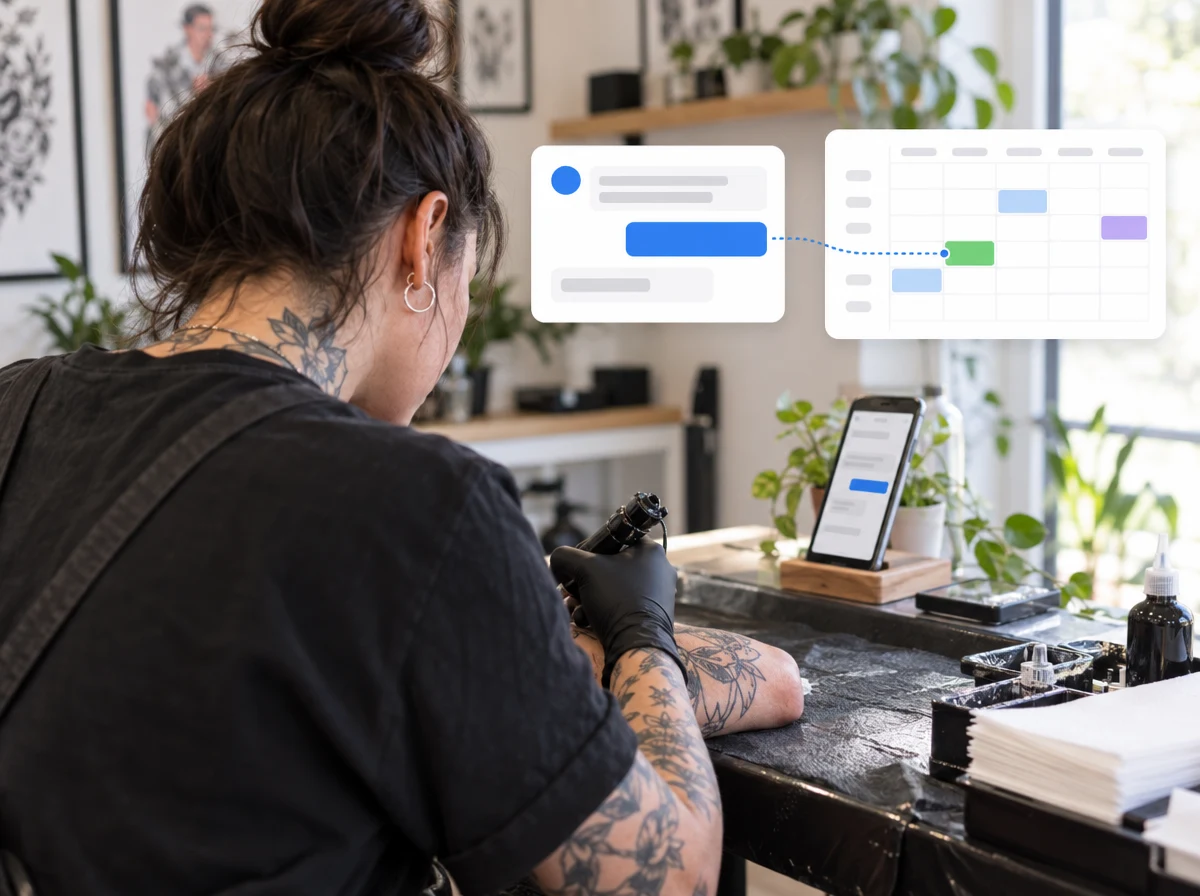
When it comes to no-shows, it pays to be careful with numbers. In December 2025, Fresha surveyed more than two hundred beauty and wellness businesses and five hundred clients. In that particular study, 23% of the clients surveyed admitted to cancelling with less than twelve hours’ notice or not showing up, and 22% of those who did said they simply forgot. More than half of the business owners surveyed said cancellations and no-shows made them work longer hours.
These are figures from one sector survey: they don’t mean that share of your appointments will fall through, and we won’t give you a figure for how much reminders reduce no-shows because there’s no solid source to back one up. What they do show is that forgetting weighs heavily among the reasons, and forgetting is exactly what a reminder tackles.
If you want to estimate what it’s costing you, we have a no-show calculator that uses your own numbers, a reminder generator to draft the messages, and the notifications guide to get them set up.
Online appointment scheduling: from paper and messages to a booking system
The big leap isn’t going from paper to a digital calendar. A digital calendar is still somewhere someone has to open, check and update.
The leap is this:
- A calendar is a place where you look up what’s already there.
- An appointment book organizes your real availability: which services you offer, how long they take, who provides them and with which resources.
- A booking system uses that availability to do other things on its own: accept bookings, confirm, remind and keep the history.
A nail salon with several stations and a gym with classes don’t organize their availability the same way, but the principle is the same: if the system knows the real rules, it can apply them without you. If it doesn’t, you are the rule.
To set it up, the order that works is: define your services, set your real opening hours, add professionals or resources only when your business needs them, and open a booking channel that feeds straight into that calendar. From then on, you manage every appointment from a single place.
If you already work with a personal calendar, the Google Calendar integration avoids the classic problem of two calendars stepping on each other.
Calls and messages you can’t answer while you’re working
A booking doesn’t always start with a form. Often it starts with a call that comes in while your hands are busy, or a message that arrives mid-session.
That entry point can be delegated too. CitaFlow includes an AI receptionist that answers by phone and by chat on WhatsApp, Instagram, Messenger, Telegram and the web, and can book the appointment straight into your calendar. We cover it in depth in our article on AI receptionists for small businesses and you can see it on the voice page.
Why there are so many settings, and how to ignore most of them at first
It’s the most honest question we get: if it’s so simple, why are there so many options?
Because businesses aren’t alike. An auto repair shop doesn’t organize its availability like a barbershop, a personal trainer doesn’t need the same rules as a law office, and a tattoo studio works with long sessions that have little in common with the turnover of a nail salon. Many settings exist because different businesses have needed to handle different situations.
But here’s the idea that changes the first few weeks: a feature existing doesn’t mean you have to set it up.
The literature on product adoption points the same way. ProductLed recommends not overwhelming new users with advanced features and limiting the initial setup to what’s strictly needed to get a first result. Full configuration and getting up and running are not the same thing, and confusing them is a reliable way to finish neither.
The practical way to apply this is to go from symptom to setting, instead of working through the menu from top to bottom:
| What’s happening to you | What to check |
|---|---|
| “People message me asking when I’m free” | Online booking with a link or widget |
| “Two people try to take the same slot” | Calendar and availability per professional or resource |
| “I confirm appointments one by one” | Automatic confirmations |
| “They forget to show up” | Reminders by WhatsApp, SMS or email |
| “A change means digging through old messages” | Customer database with appointment history |
| “My personal calendar and my booking calendar clash” | Google Calendar integration |
| “I can’t pick up the phone while I’m working” | AI receptionist by phone and chat |
| “I need to know when this customer last came in” | Customer profile and history |
| “I don’t understand what this screen is for” | The “How this screen works” button on every screen of the dashboard |
| “I can’t find how to set something up” | Ask support before deciding it can’t be done |
If your problem isn’t in that table, you probably don’t need to touch anything else yet either.
How to use a free trial to digitize a small business in 7 days
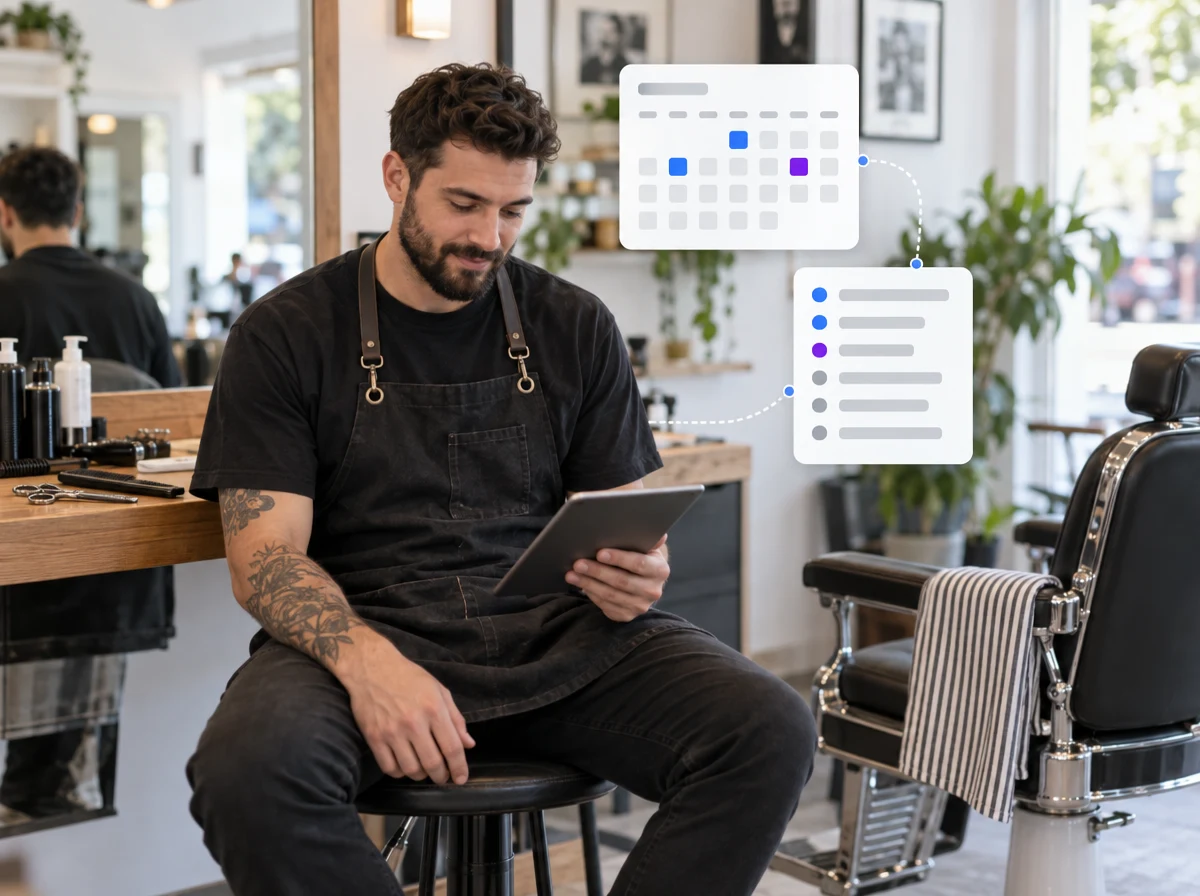
During a trial you don’t have to learn the program. You have to check whether one important workflow in your business can run with less input from you. That’s the whole difference, and it fits into twenty-minute blocks.
Day 1: pick one problem
Just one: the real reason you opened the account. The back-and-forth of messages to agree on a time, manual confirmations, forgotten appointments, or information scattered across three places. Pick one and set up only what you need to test it.
Day 2: set up your real availability
The services you need for that test, with their duration. Your actual hours. Professionals or resources only if your business has them. No exceptional cases yet: they’ll come, and many never will.
Day 3: make a booking as if you were a customer
Open your own booking link and complete a booking from start to finish. The goal isn’t perfection, it’s getting the first complete flow working.
Day 4: test the messages
Check the confirmation and the reminder. Read them as if they were sent to you, not as if you had written them, and fix only what jars.
Day 5: break the flow on purpose
Change an appointment, cancel it, try a situation that really happens in your business, and see what happens to the calendar and the notifications. This teaches you more than visiting ten menus.
Day 6: add just one more layer
One. The calendar sync, a cancellation policy, another professional or the customer history. Don’t switch things on just because they’re there.
Day 7: look at what you’re still doing by hand
Write the list: “during this trial I still had to…”. Before concluding the tool can’t do something, check the help center or ask us. We reply in under 24 hours.
Seven blocks of up to twenty minutes add up to at most 140 minutes spread across the first week. That isn’t zero effort, and we won’t pretend it is.
Customer support and onboarding: you don’t have to figure it all out alone
Asking for help during a trial doesn’t mean the tool has failed or that you’re bad with technology. In a flexible system, a five-minute question can save you an hour of exploring in the wrong direction. It’s actually one of the most worthwhile things you can do in the first week.
This isn’t just us: in the ChartMogul study, most products with a free trial kept some point of human contact even when the user signed up on their own. And it ties in with the OECD figure: if the most-cited barrier is lack of time to learn, support isn’t an extra, it’s exactly what’s missing.
What we bring to the table:
- Support for setup problems and day-to-day questions, with a reply in under 24 hours.
- “How this screen works” guides inside the dashboard, on every screen, explaining what each setting does.
- A help center with a guide for each task, from adding your services to managing the day’s appointments.
- Maintenance, which isn’t your business’s job. You don’t have to update anything or worry about something breaking on your end.
Frequently asked questions about digitizing a small business
How long does the learning curve last?
There’s no universal answer, and be wary of anyone who gives you an exact figure: it depends on what you want to set up, your previous experience, the design of the tool and whether you have support. What’s worth separating is the first result from full mastery. Getting bookings in and notifications out is achievable quickly; knowing every setting will probably never be necessary.
How do I overcome resistance to change?
Not through willpower, but by shrinking the change into something manageable: one concrete problem instead of “digitizing the business”, short blocks instead of a whole afternoon, and a first result you can see working. Ask for help as soon as friction shows up, instead of letting it build until it becomes the reason to quit.
How do I set up an appointment calendar?
The order that works: define your services with their duration, set your real hours, add professionals or resources only if your business has them, and open a booking channel that feeds straight into that calendar.
Then make a test booking yourself. It’s the fastest way to spot a rule you hadn’t accounted for.
What is the best app for scheduling appointments?
There’s no absolute answer, and anyone who gives you one is selling something. The best one is the one that reproduces your business’s real rules and saves you from maintaining systems in parallel.
When comparing, check six things: whether customers can book online without talking to you, whether it reflects your real availability, whether it sends reminders and confirmations on its own, whether it adapts to your professionals or resources, whether it integrates with the calendar you already use, and whether someone answers when you can’t find a setting. That last point is always underrated, and it’s the one that most often decides whether a tool ends up being used.
What we ask of you, and what we bring
We won’t tell you that digitizing a small business takes no effort. It does. On this route we suggest up to twenty minutes a day for seven days, and we’d rather say so up front than have you discover it halfway through.
What you shouldn’t have to do is learn every menu, guess which setting you need or look after the software yourself. That’s what the in-screen guides are for, along with support that replies in under 24 hours and a system that, once it’s set up, should start taking work off your plate instead of giving you one more thing to manage.
If your trial is about to end and you’re still doing things by hand, don’t write it off yet. Tell us what you were trying to solve. There’s a good chance it’s already possible.
And if you want to try it with your own business, you can start a free trial.